Skip to content
Codeverything

VisitLine

Client visit notes · iPhone

After a meeting,keep the detailsand the next steptogether.

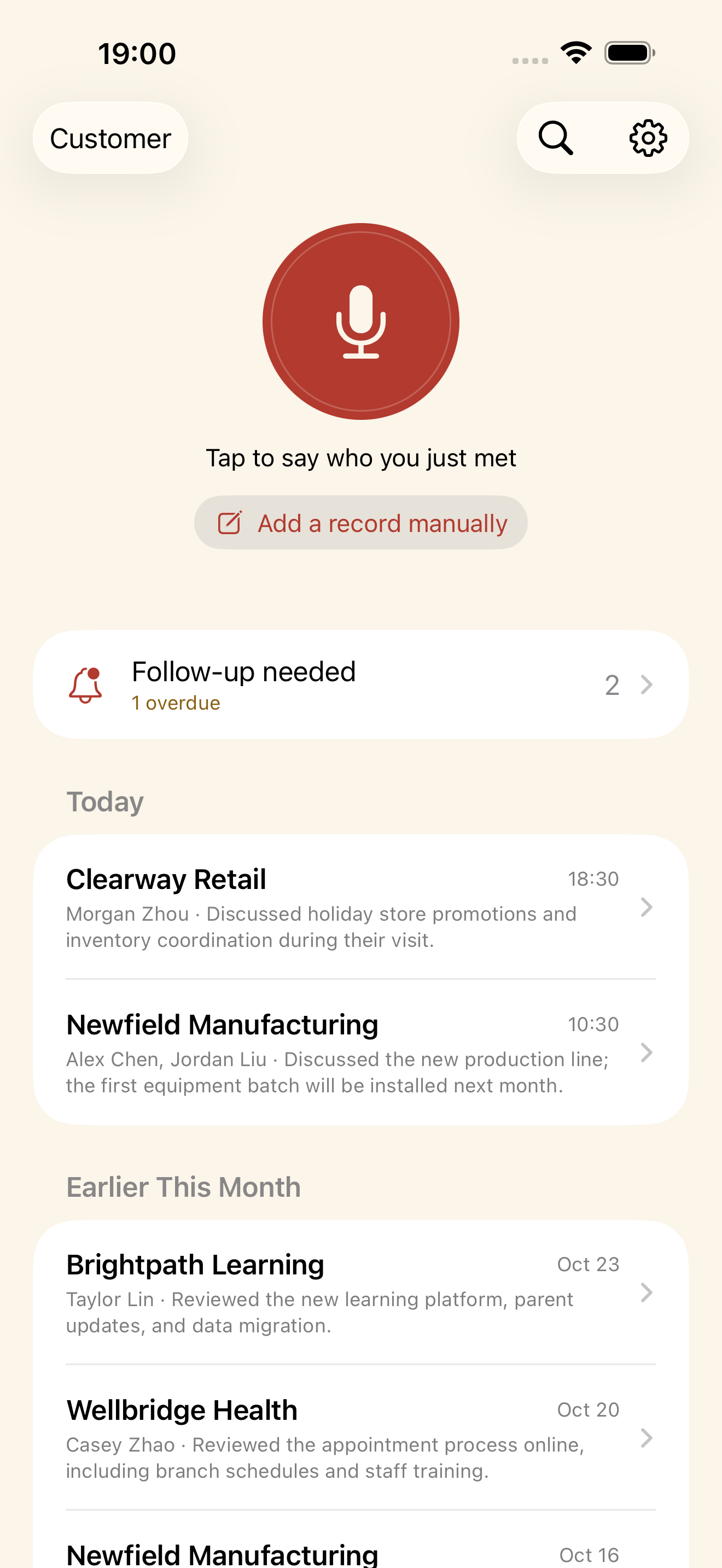
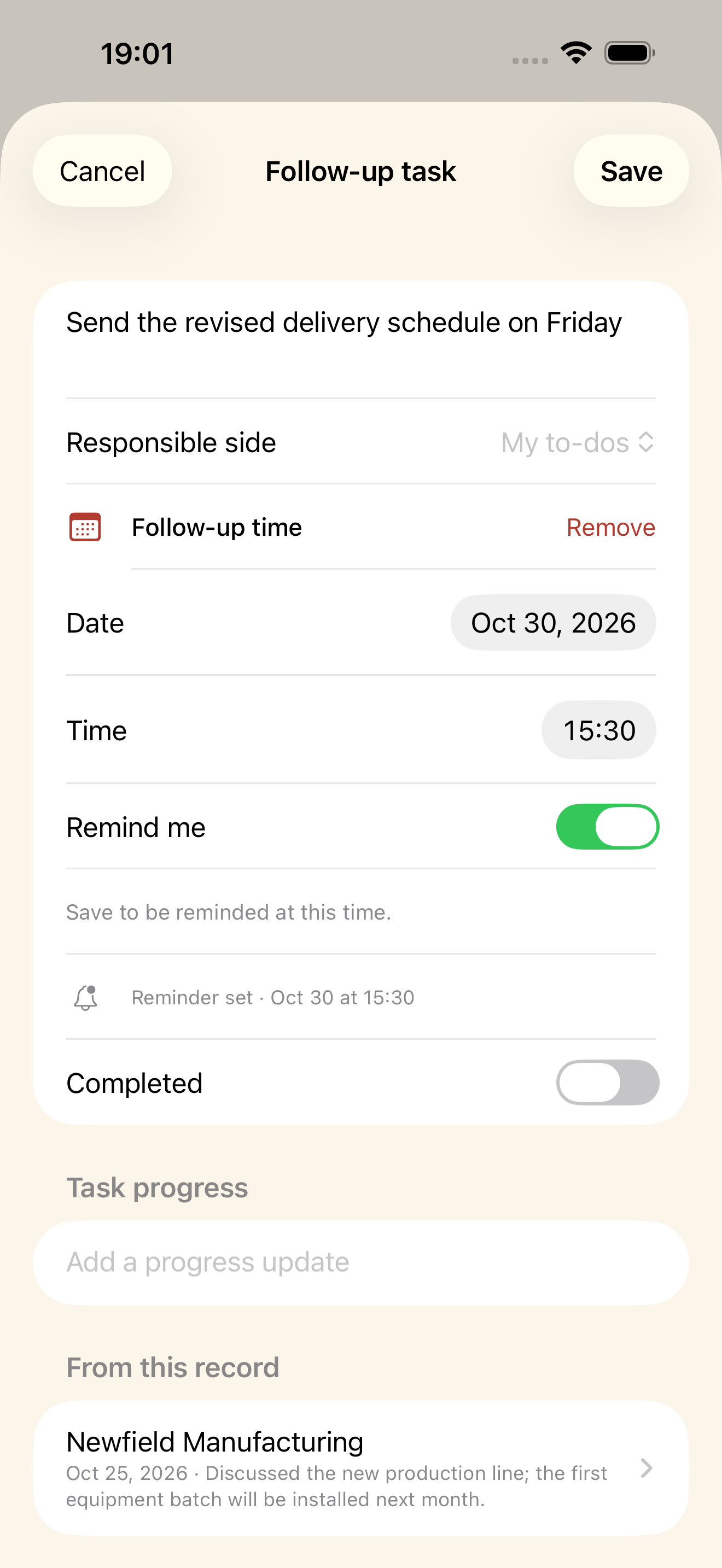
A client visit notebook that keeps your data on your phone by default. Speak a quick recap or type a note, then review the client, contacts, discussion and next step before saving. In 0.2.3, choose an exact follow-up time, start a new visit from a client’s timeline and compare an AI example before and after.
Download on theApp Store Free basics, unlimited entries · Optional subscription
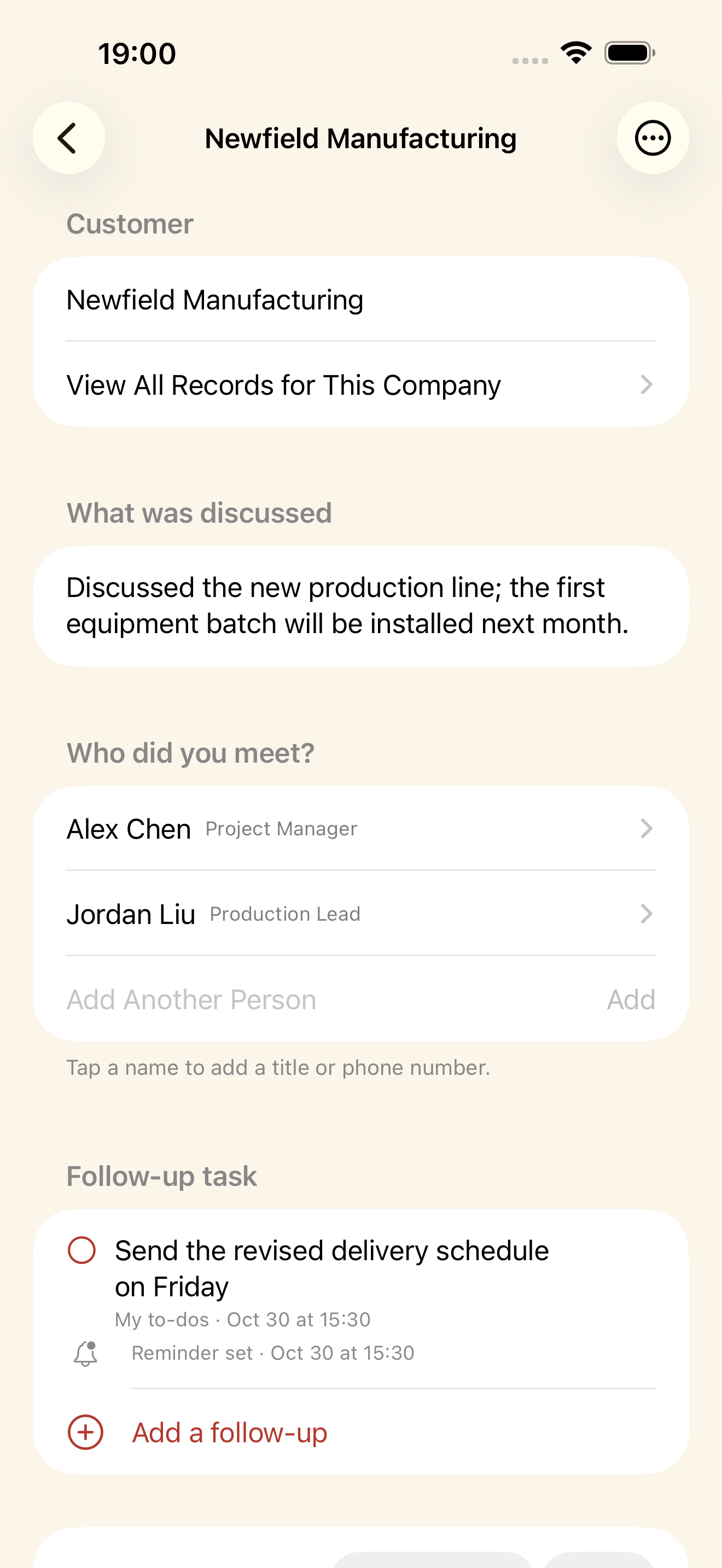
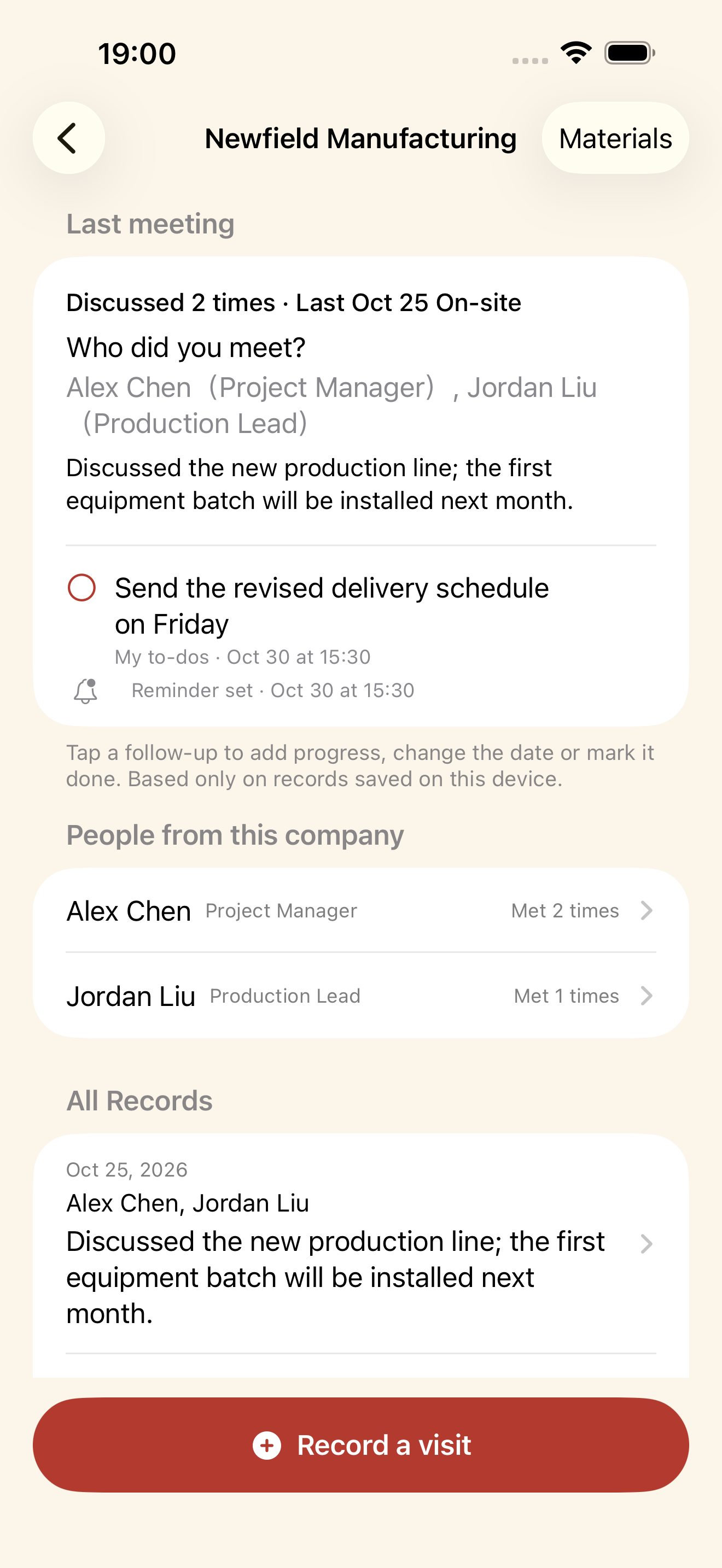
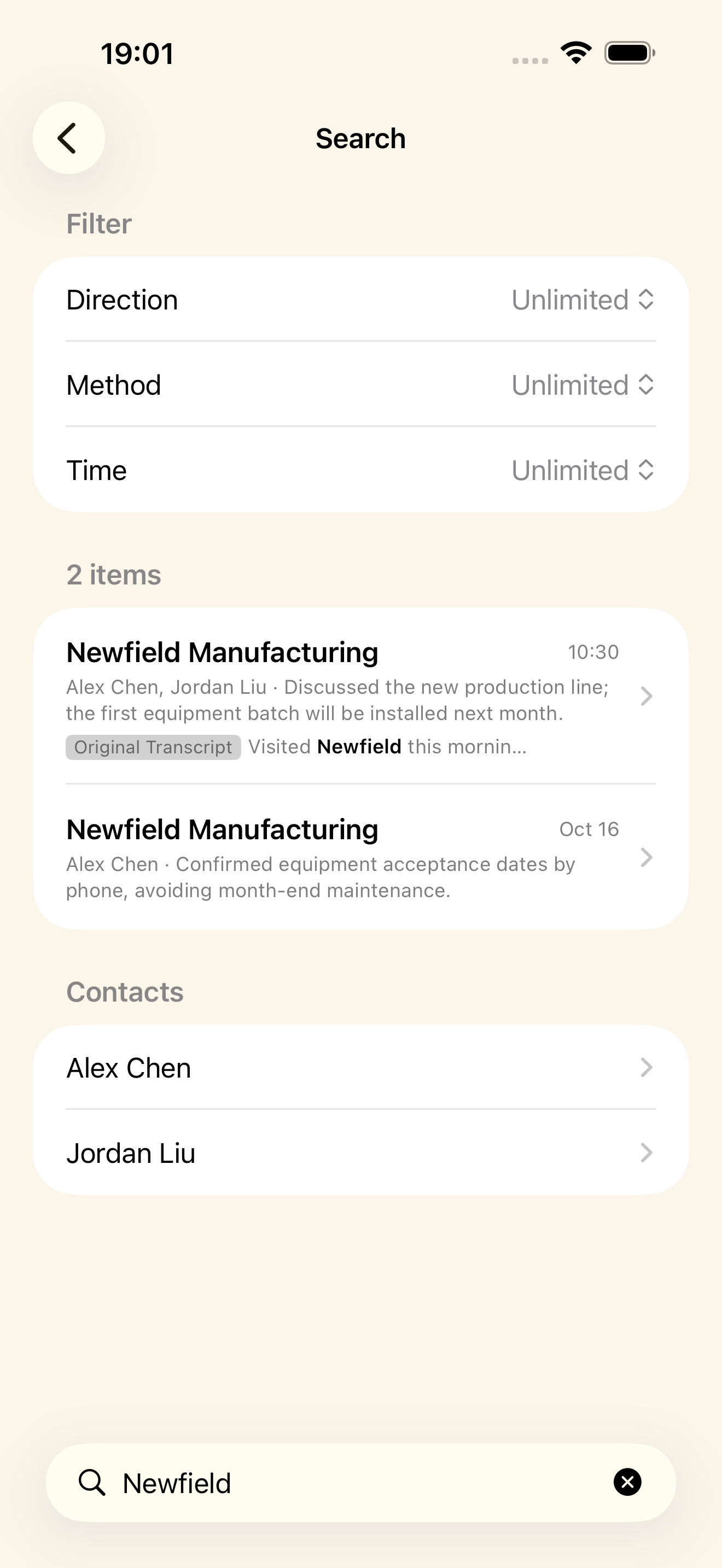
VisitLine 0.2.3 · Actual app screens with fictional example dataVisitLine 0.2.3 · Actual app screens with fictional example dataVisitLine 0.2.3 · Actual app screens with fictional example data
VisitLine 0.2.3 · Actual app screens with fictional example data
The labelVisitLine
PriceFree basics · optional subscription
DataStays on your phone by default. Cloud features are your choice.
Runs oniPhone
The label

Know what you’re installing

Stays on your phone by default. Cloud features are your choice.

Current version 0.2.3 is available on the App Store
Price Free basics with unlimited entries. Optional subscription: CNY 12/month or CNY 120/year in mainland China. Other regions use their local App Store price.
Cloud audio Optional, with a limit of 450 minutes per 30 days
Account No account and no cloud sync
Device iPhone
Languages The app supports Simplified Chinese, Traditional Chinese, English and Japanese.
What it does
01

Speak or type

Capture what you just discussed. Review and edit the client, contacts, summary and next step before saving.

02

Follow up at the right time

Choose a date and time, and turn each reminder on or off. See whether it is scheduled or needs notification permission.

03

Keep a client’s story going

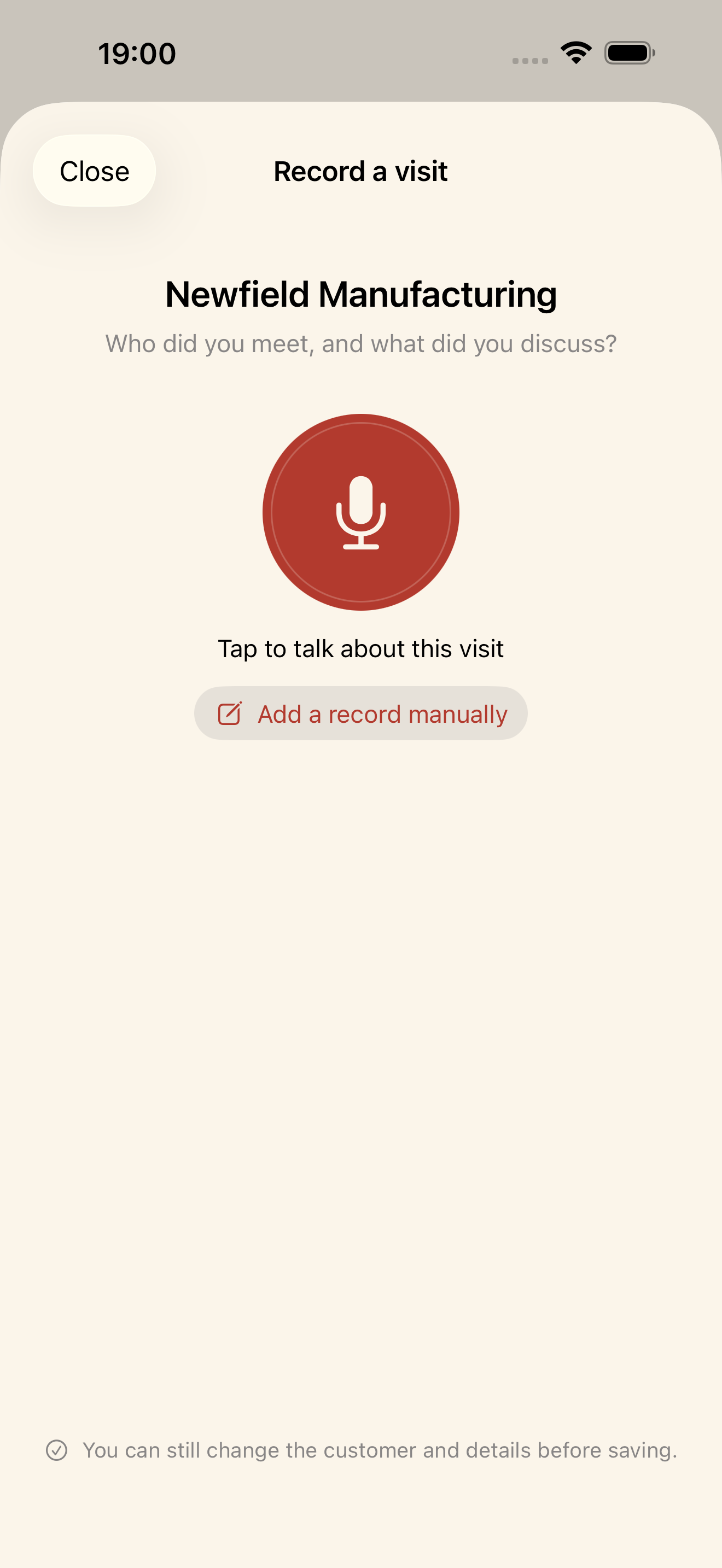
Start a new visit from the client’s timeline with that client already selected. You can still review or change the client before saving.

04

See what AI changes

Switch between the original note and the organized result to see clients, discussion points and next steps. The example uses fictional information.

05

Find past conversations

Review each client’s timeline, or search by keyword, time and meeting type. Merge duplicate clients when needed.

06

Keep your data in your hands

Your records stay on device by default. Export readable notes or back up and restore a complete folder. Cloud features require your separate consent.

Help Common questions & contact → Privacy Stays on your phone by default. Cloud features are your choice. → Terms Apple’s standard license agreement →
Skip to content
Codeverything

VisitLine

Client visit notes · iPhone

After a meeting,keep the detailsand the next steptogether.

Download on theApp Store Free basics · Optional subscription
VisitLine 0.2.3 · Actual app screens with fictional example dataVisitLine 0.2.3 · Actual app screens with fictional example dataVisitLine 0.2.3 · Actual app screens with fictional example dataVisitLine 0.2.3 · Actual app screens with fictional example dataVisitLine 0.2.3 · Actual app screens with fictional example dataVisitLine 0.2.3 · Actual app screens with fictional example data
VisitLine 0.2.3 · Actual app screens with fictional example data

A client visit notebook that keeps your data on your phone by default. Speak a quick recap or type a note, then review the client, contacts, discussion and next step before saving. In 0.2.3, choose an exact follow-up time, start a new visit from a client’s timeline and compare an AI example before and after.
The label

Know what you’re installing

Stays on your phone by default. Cloud features are your choice.

Current version 0.2.3 is available on the App Store
Price Free basics with unlimited entries. Optional subscription: CNY 12/month or CNY 120/year in mainland China. Other regions use their local App Store price.
Cloud audio Optional, with a limit of 450 minutes per 30 days
Account No account and no cloud sync
Device iPhone
Languages The app supports Simplified Chinese, Traditional Chinese, English and Japanese.
What it does
01

Speak or type

Capture what you just discussed. Review and edit the client, contacts, summary and next step before saving.

02

Follow up at the right time

Choose a date and time, and turn each reminder on or off. See whether it is scheduled or needs notification permission.

03

Keep a client’s story going

Start a new visit from the client’s timeline with that client already selected. You can still review or change the client before saving.

04

See what AI changes

Switch between the original note and the organized result to see clients, discussion points and next steps. The example uses fictional information.

05

Find past conversations

Review each client’s timeline, or search by keyword, time and meeting type. Merge duplicate clients when needed.

06

Keep your data in your hands

Your records stay on device by default. Export readable notes or back up and restore a complete folder. Cloud features require your separate consent.


Help Common questions & contact → Privacy Stays on your phone by default. Cloud features are your choice. → Terms Apple’s standard license agreement →